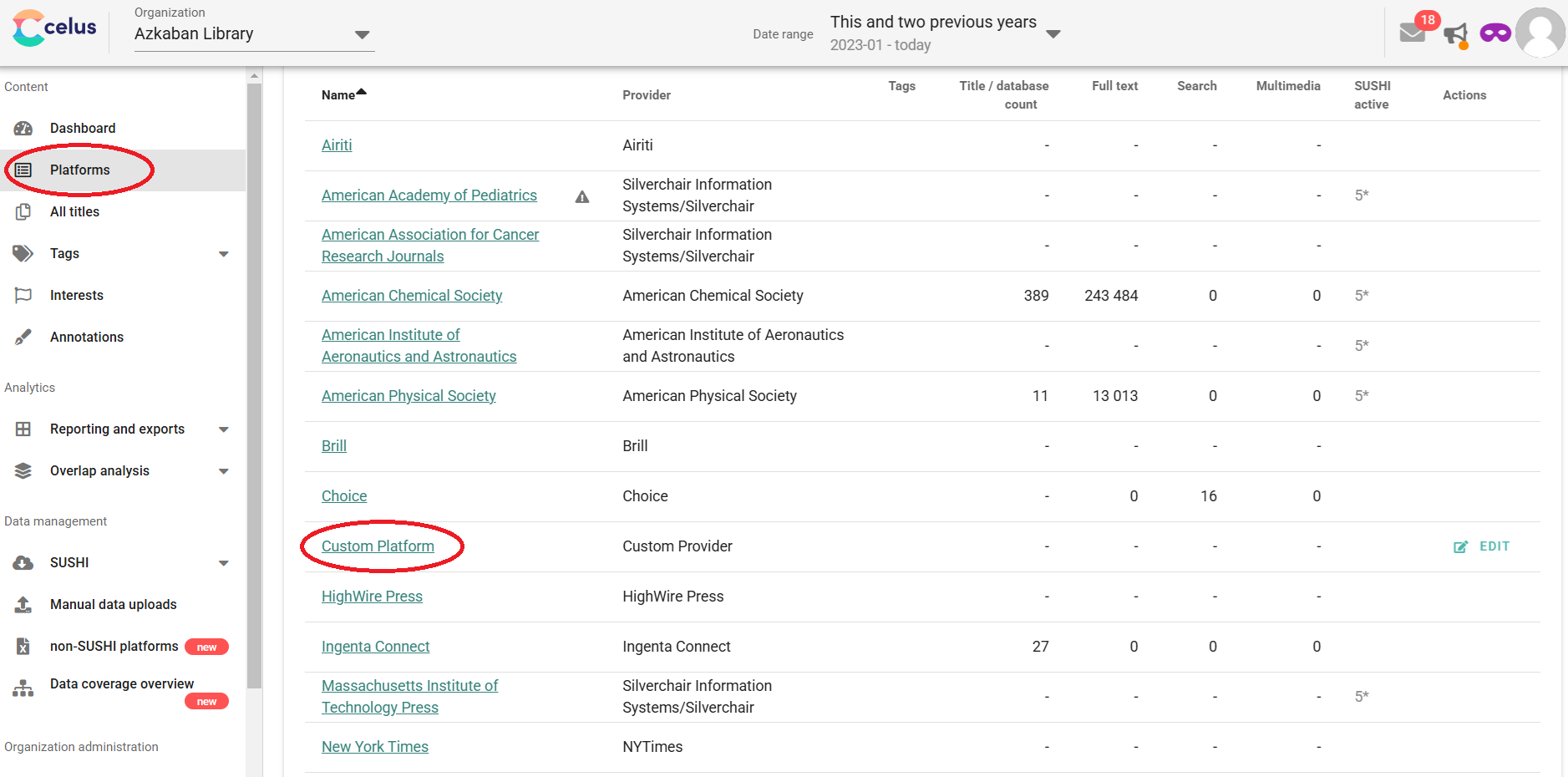
If you created a custom platform by mistake, or you will not longer use it, you can delete it together with all its data by clicking on Platforms in the left sidebar menu, and then on the platform you would like to delete
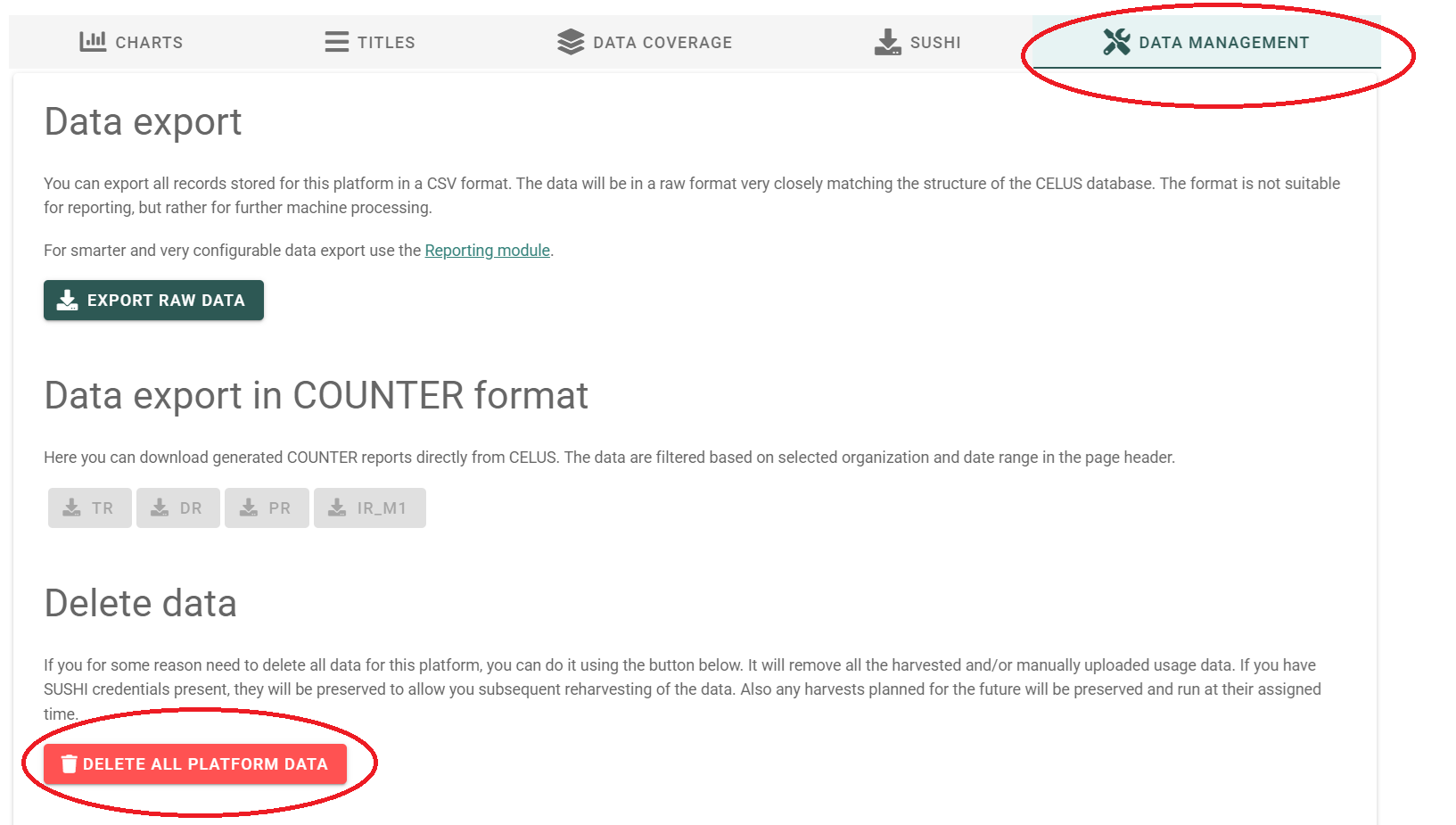
Next, click on Data Management, DELETE ALL PLATFORM DATA
In the following dialog, tick all you want to delete and click on DELETE
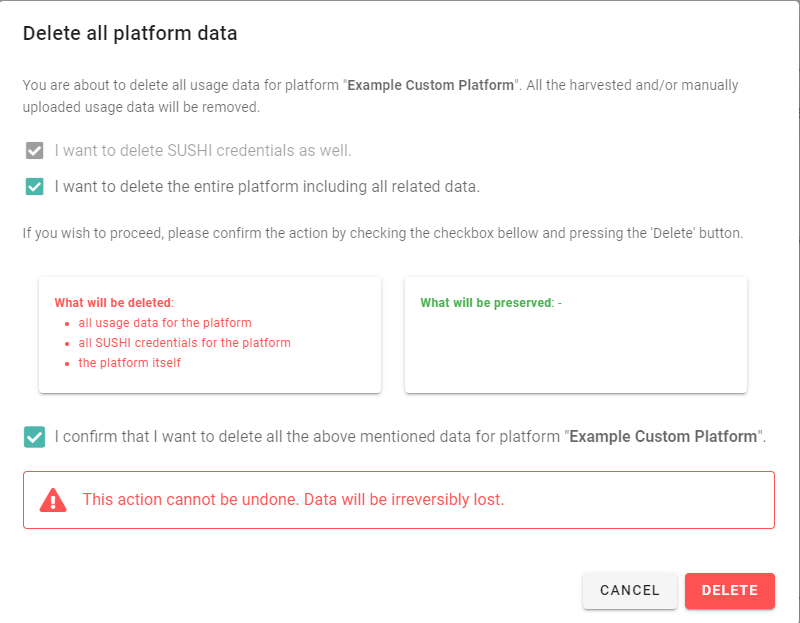
Now your custom platform is completely wiped out from your CELUS. Note that this action cannot be undone!