Organization administrators can manage users within their CELUS account, enabling them to add, modify, or remove user profiles, as well as dispatch invitations and verification emails. To access this feature, navigate to "User management" located in the left-side menu:

Within the User Management section, you'll find a list of existing users along with an array of actions:
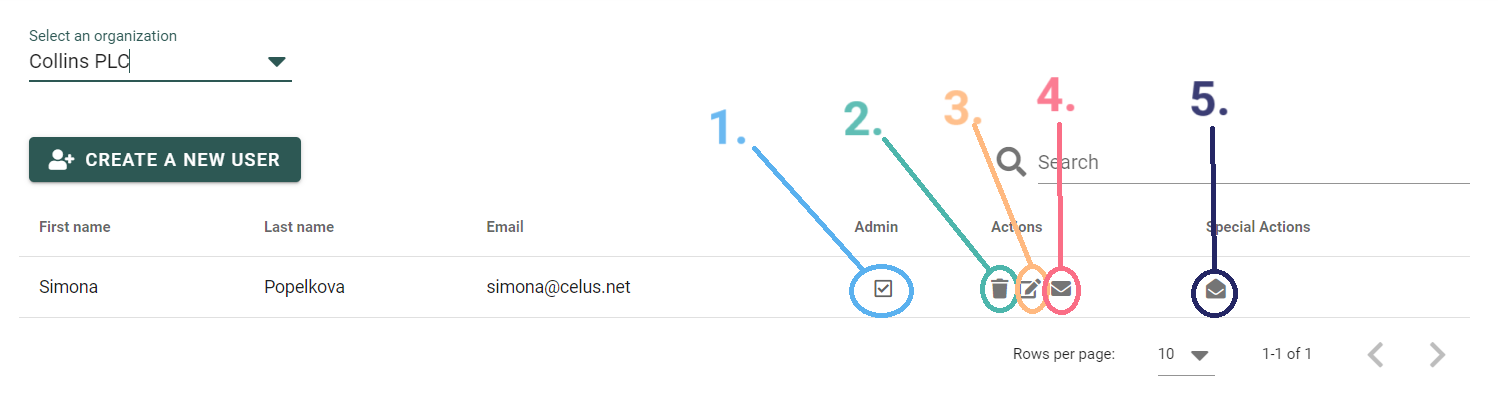
To introduce a new user to your organization, click on the "CREATE A NEW USER" button and follow the dialog that unfolds.