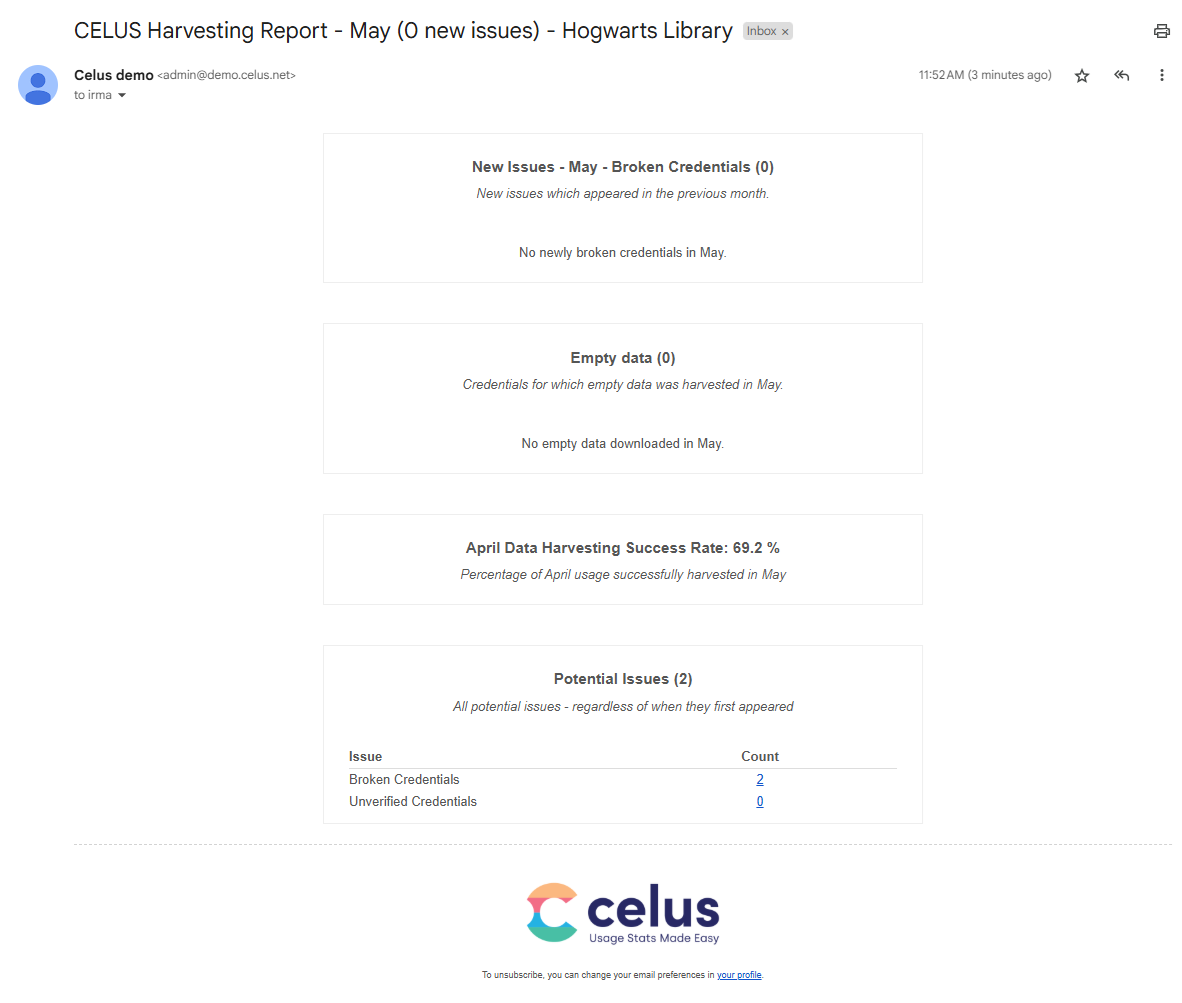
Setting Up SUSHI Harvesting Email Notifications

Monitor your SUSHI harvesting status with CELUS email notifications.

Set up recurring alerts, or send a single update, to quickly identify:

  • Broken SUSHI credentials
  • Empty data
  • Harvesting success
  • Other potential issues


How to set it up:

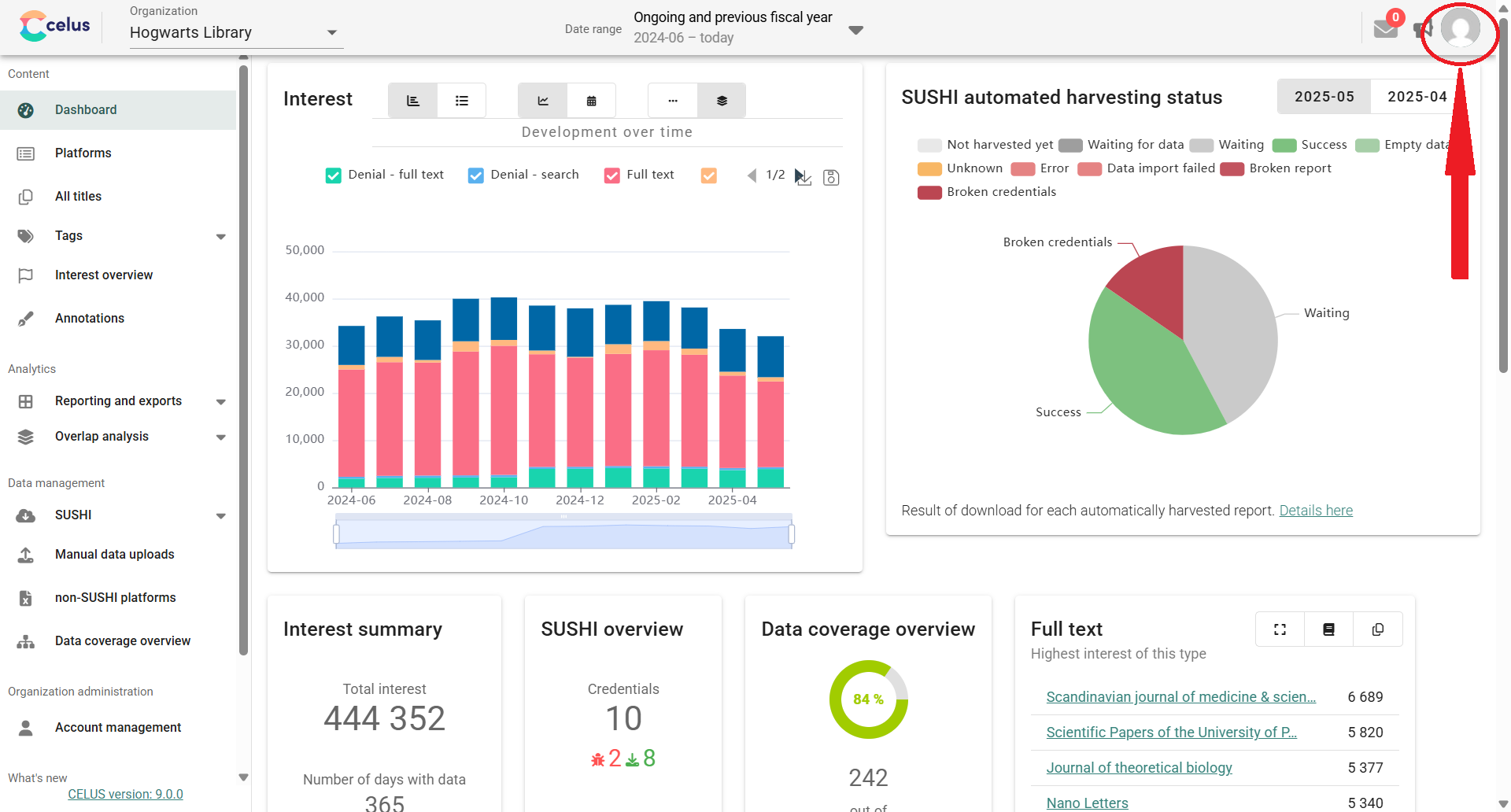
1. Open your user profile by clicking on the person icon in the upper right corner:


2. In the "Associated organizations" section, you have two ways to get email updates on your SUSHI harvesting:
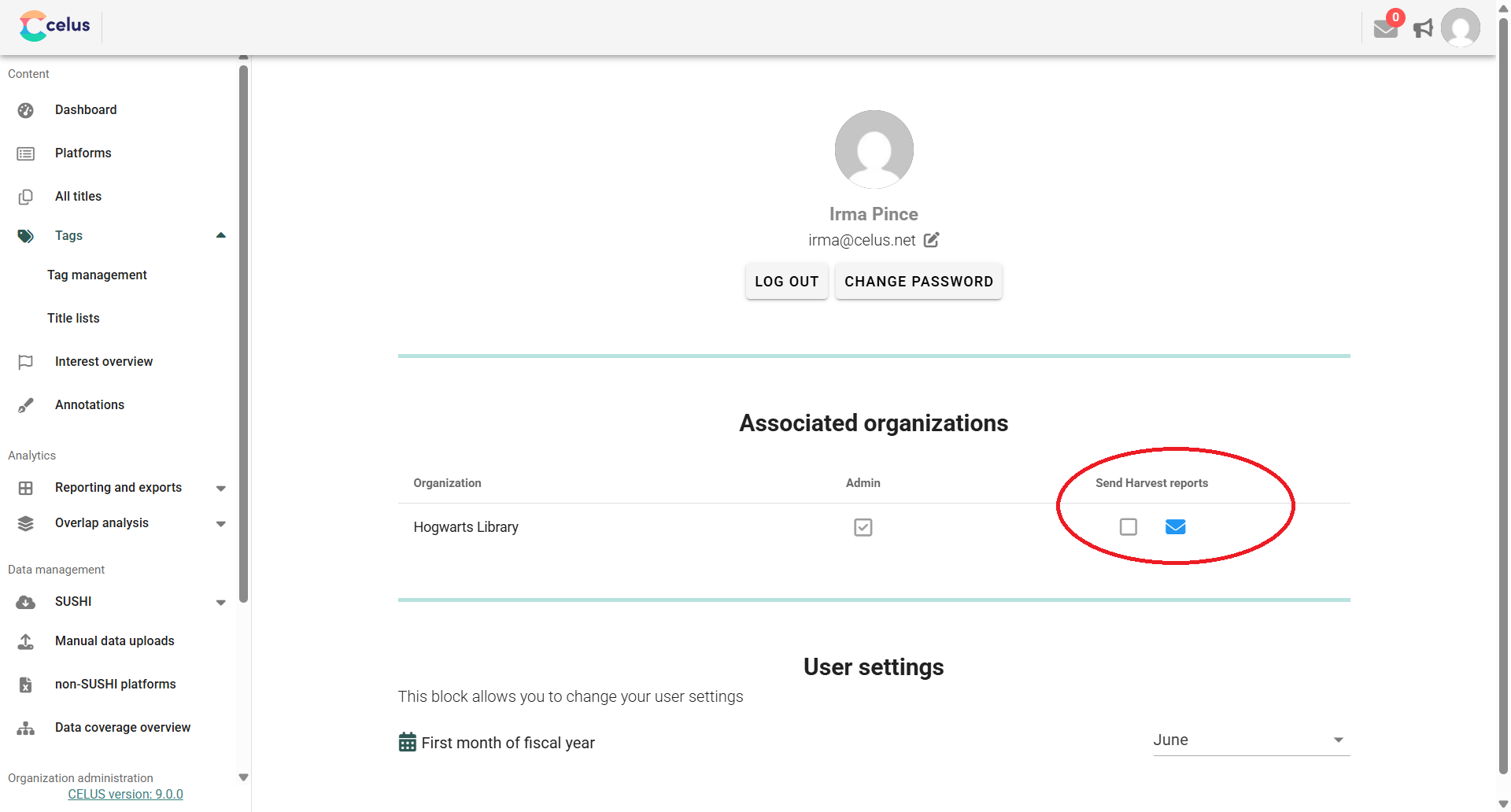

  • For automatic monthly reports: Check the "Send Harvest reports" box. CELUS will then send you a periodic overview.
  • For an immediate, one-time report: Click the envelope icon. This will send you an overview for the previous month.


This is what the e-mail looks like: