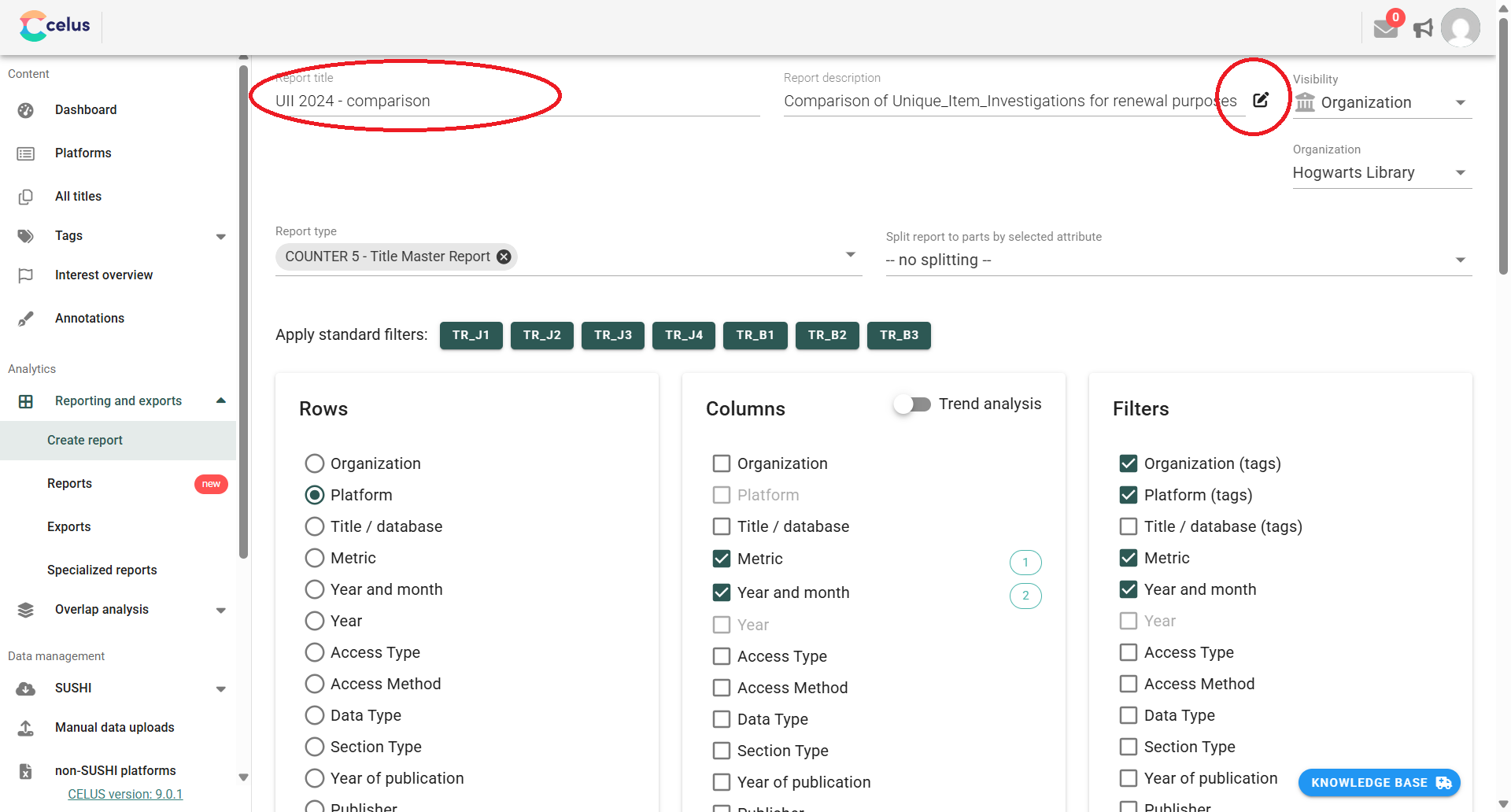
Giving your reports clear names and helpful descriptions is crucial for easy identification and organization, especially when working with many reports or collaborating with colleagues. Follow these steps to customize your CELUS reports:
Once you create your report, hit the "SAVE" button, and the following dialog will be displayed:
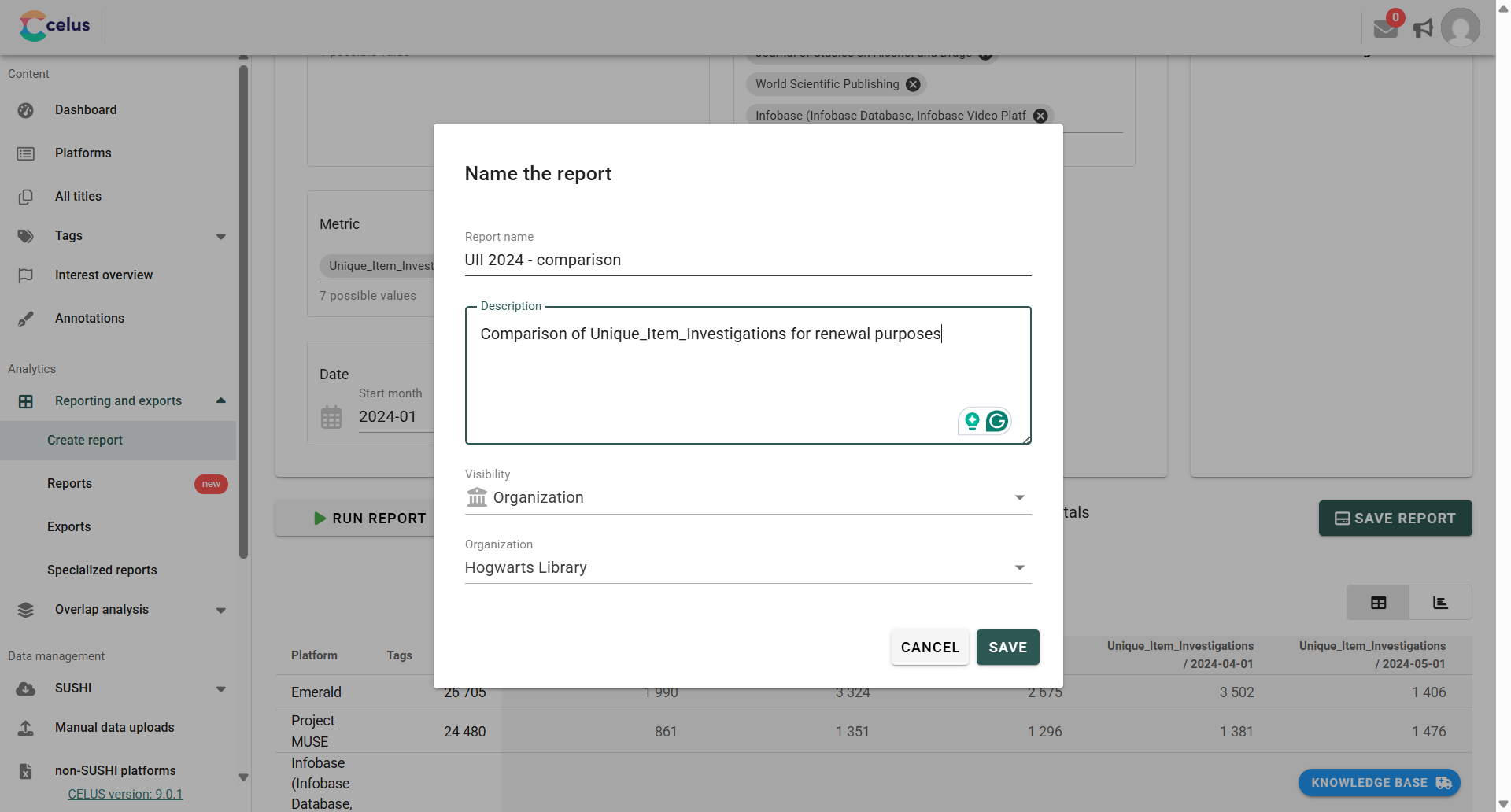
Fill in the name and description of your report. You can also change its visibility and, if you are a consortial admin, the organization it belongs to. Click "SAVE".
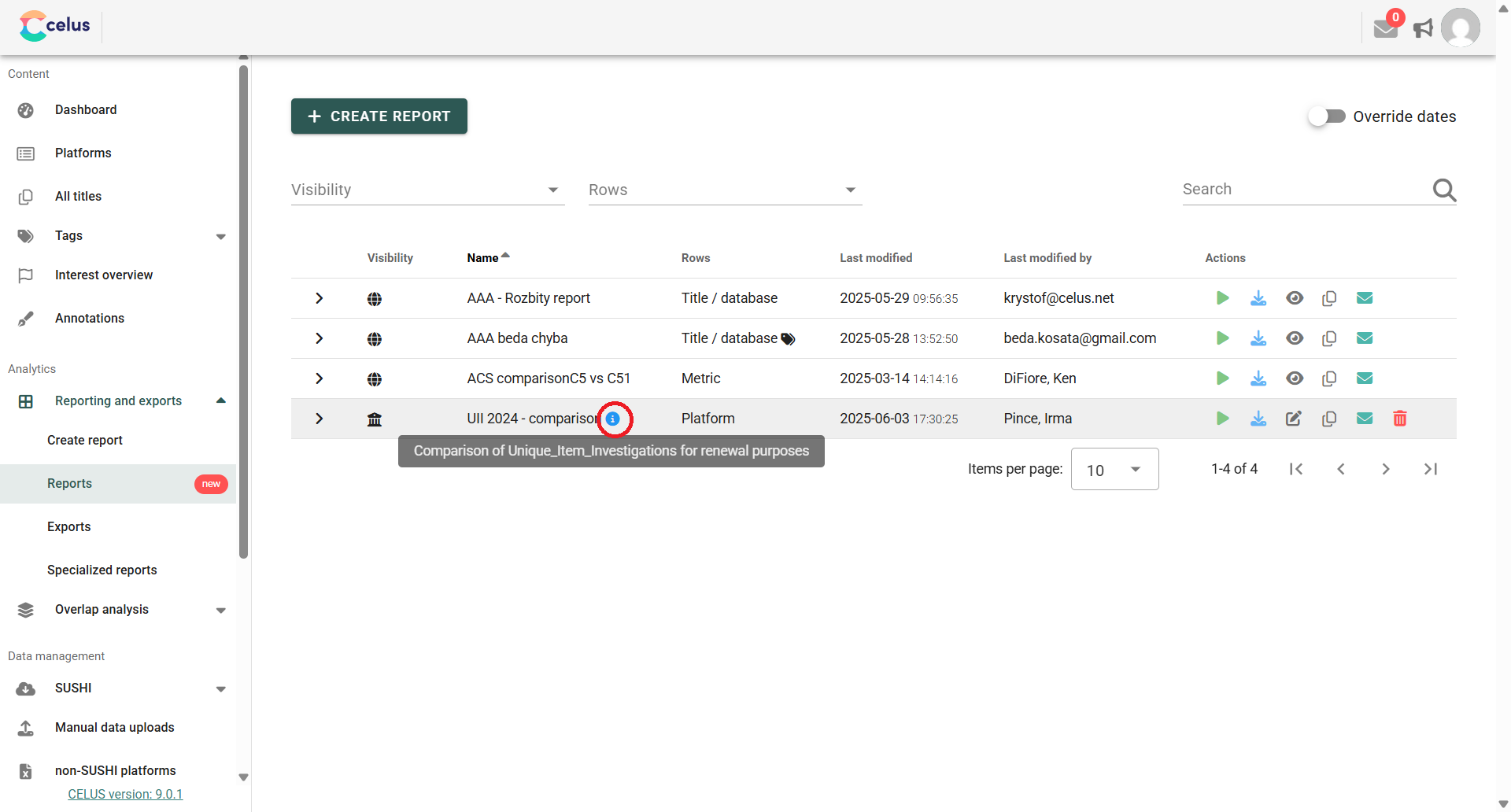
Your newly saved report is now accessible in the list of reports.
If a report has a description, you'll see a small blue information icon (i) next to its name. Simply move your mouse cursor over this icon to reveal the description.
To change a report's name or description: