1) go to your CELUS address (login screen will appear)
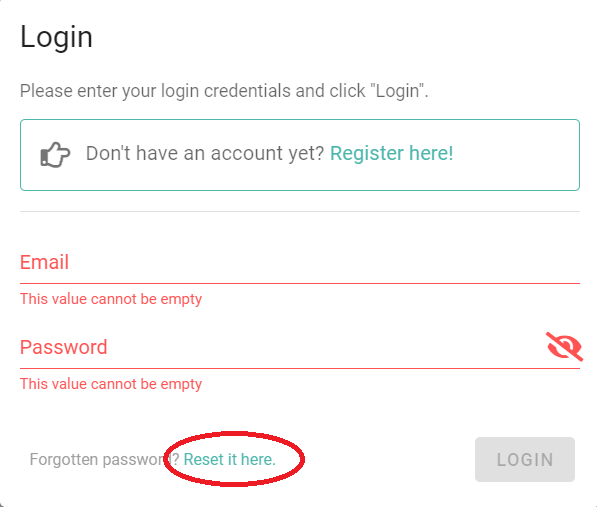
2) click the "reset password link" (see below):
3) insert your e-mail associated with CELUS
4) click the password reset link in an e-mail CELUS sent you (please, look into your SPAM folder if you cannot find it in your inbox)
5) change your password
The reset password link expires in 7 days.
If this doesn't work, please contact us through our helpdesk.