The Scheduled Report Emails feature in CELUS allows you to set up automatic email delivery of your reports to yourself or, for administrators, to your colleagues. This ensures recipients receive reports at a chosen frequency for a specified time period without manual intervention.
How to set it up:
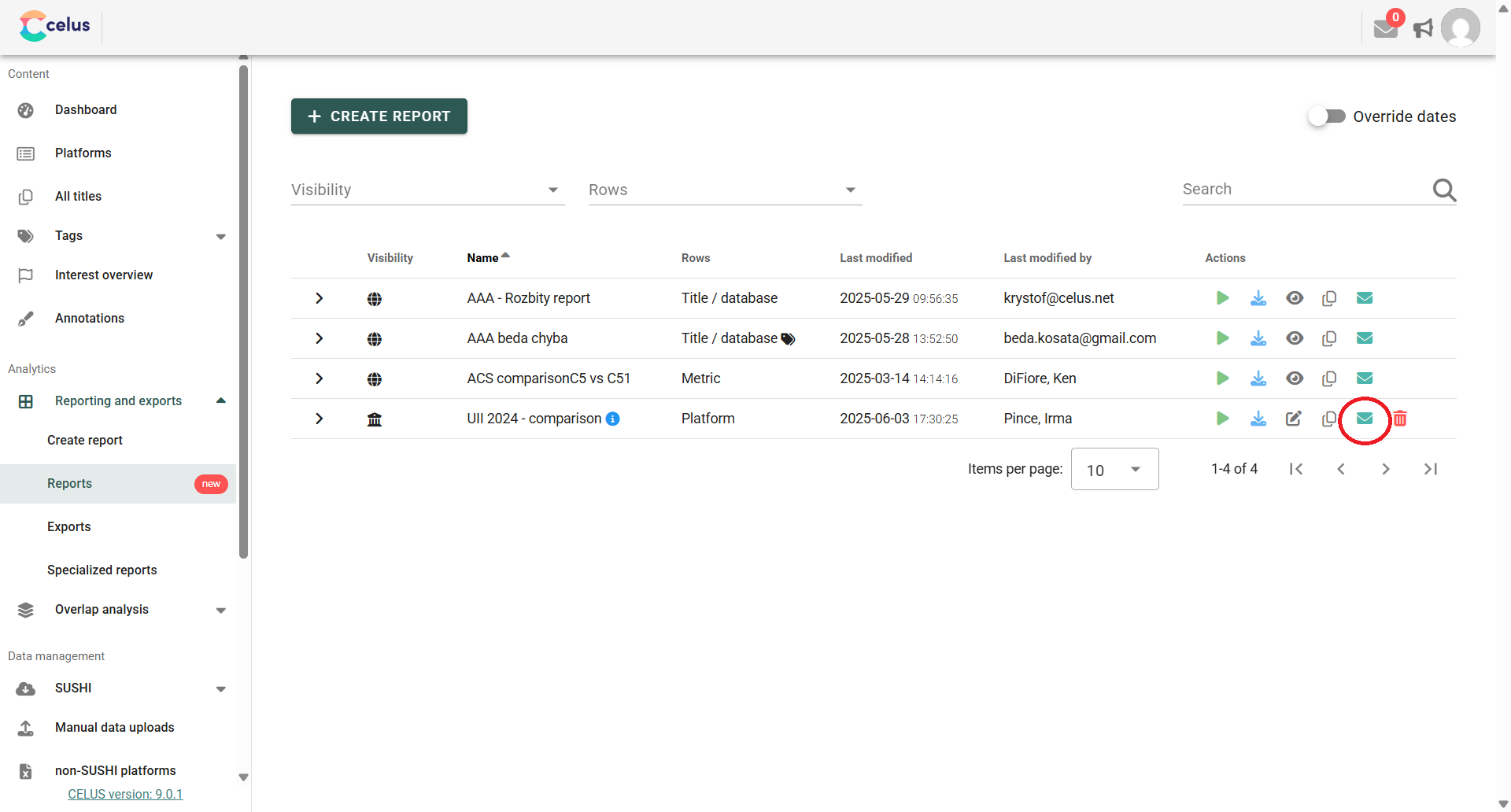
1. Go to your Reports, choose the report you want to have sent to your email periodically and click on the envelope icon next to it. The Mailing preferences dialog will open.
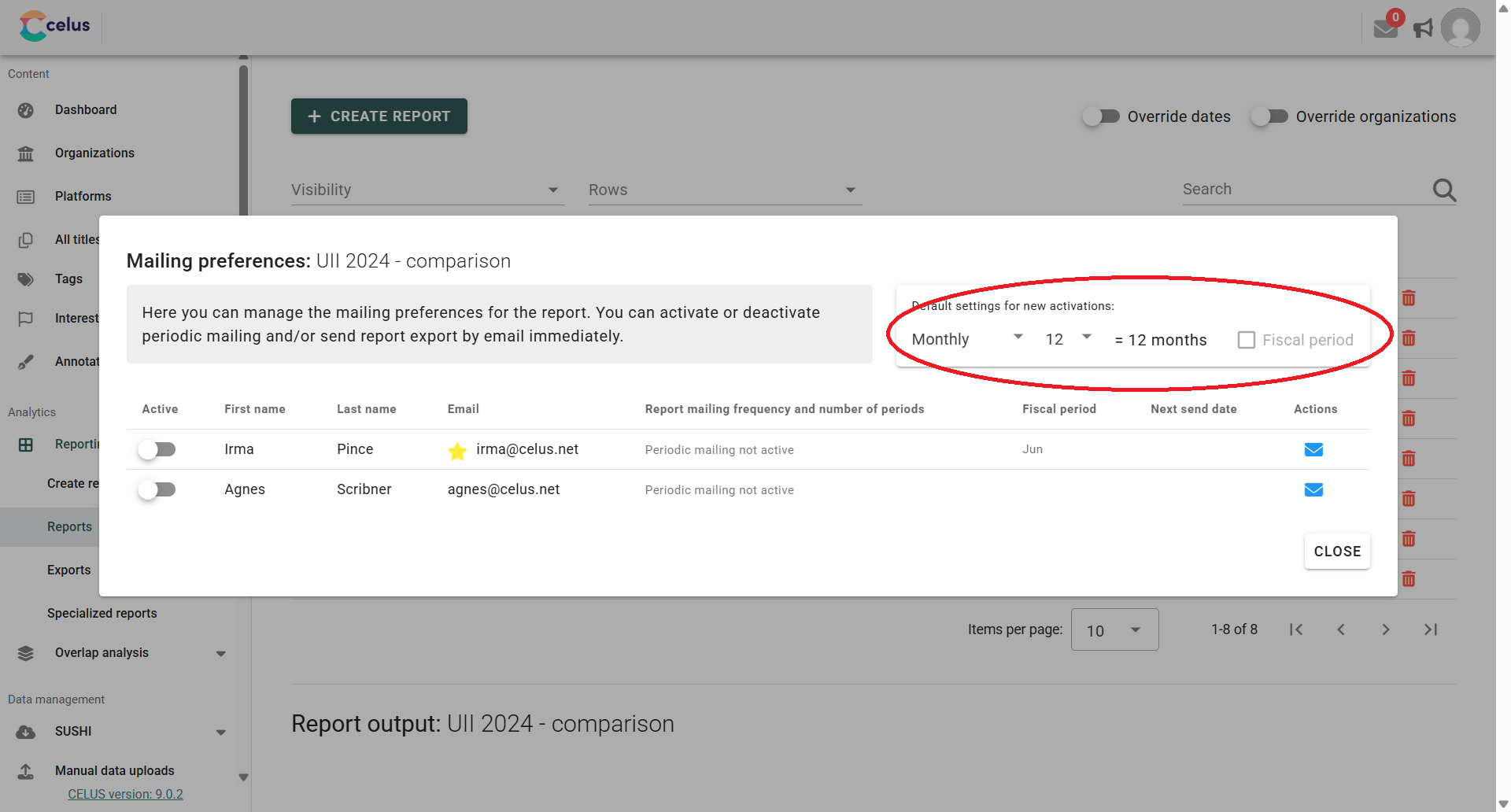
You can set up default preferences for how new reports are delivered. This includes choosing the frequency at which you'll receive the report, and the number of periods that report will cover.
For example, if you select "Monthly" for frequency and "12" for the number of periods, you'll receive a report every month that contains data spanning the past twelve months. These choices will then serve as your default settings for future report activations.
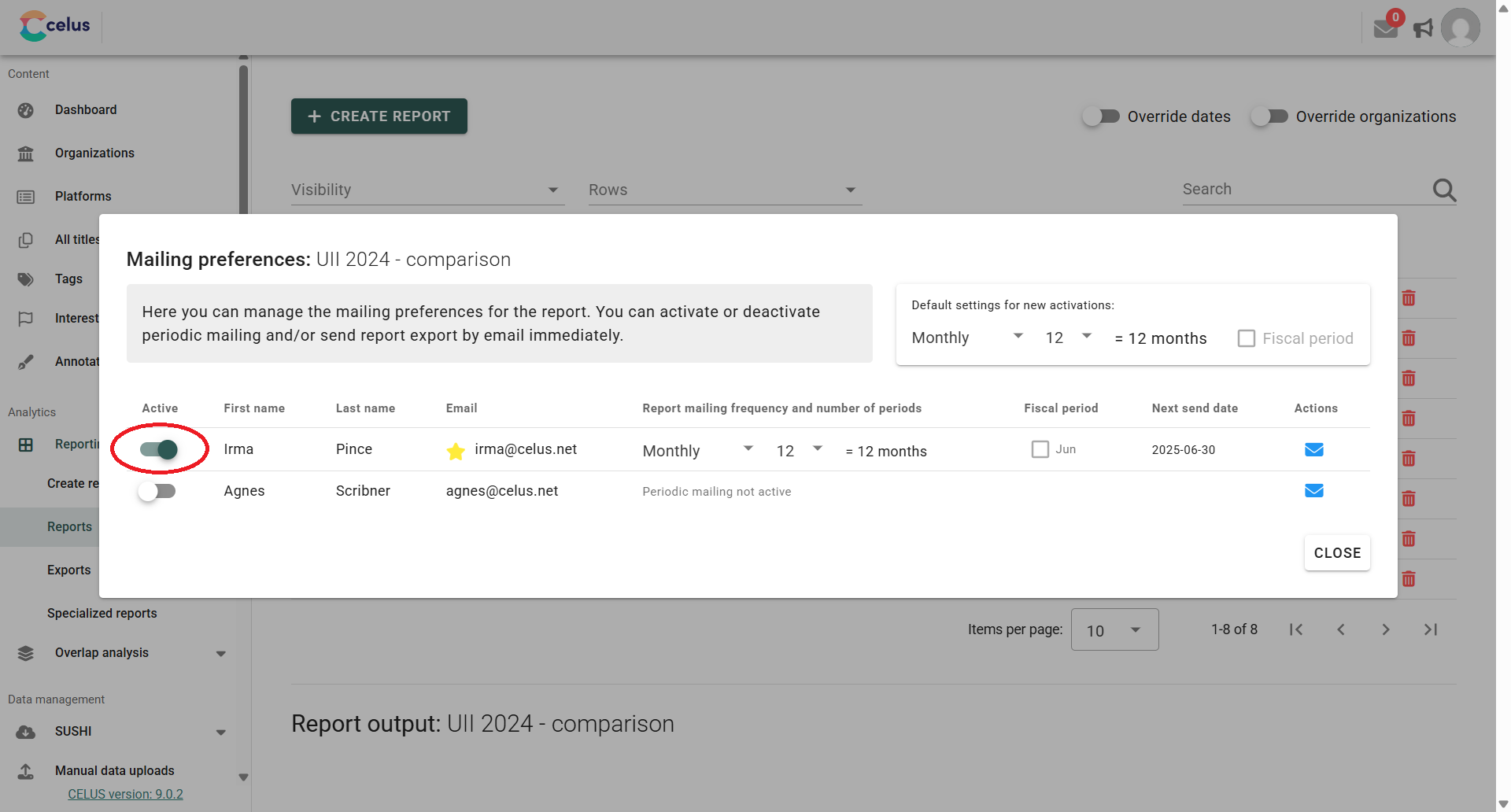
To enable report delivery for specific users:
Fiscal Period Option for Non-Monthly Frequencies
For report frequencies other than monthly (like quarterly, half-yearly, or annually), you'll see a "Fiscal period" checkbox.
When you check this box, the report will automatically cover the last completed fiscal period defined in your account settings. This ensures the report aligns with your organization's financial cycles.
You can set up or adjust your fiscal period preferences in your user account settings.